Custom Segment Generation
This page introduces the custom segment generation feature and how to use it.
1. Create a Custom Segment Generation Task
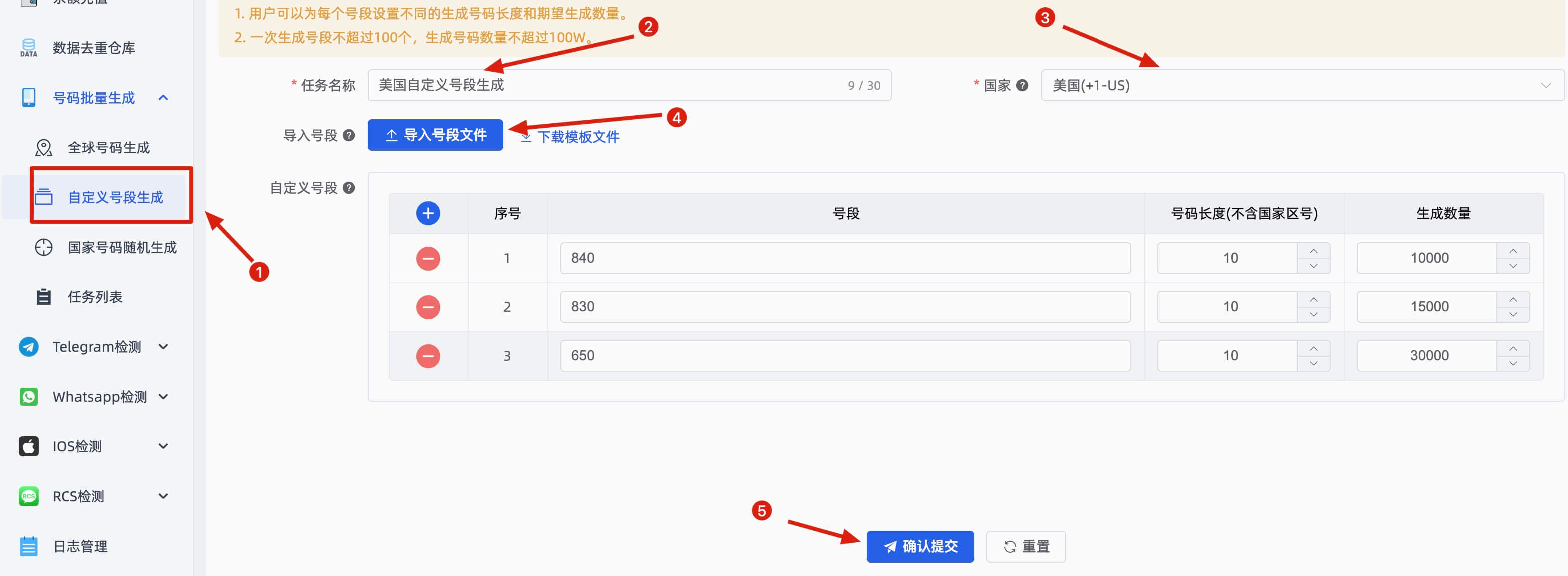
On the Custom Segment Generation page, fill in: task name, country, and import a segment file (you can download the example template and modify it). Then confirm and submit.
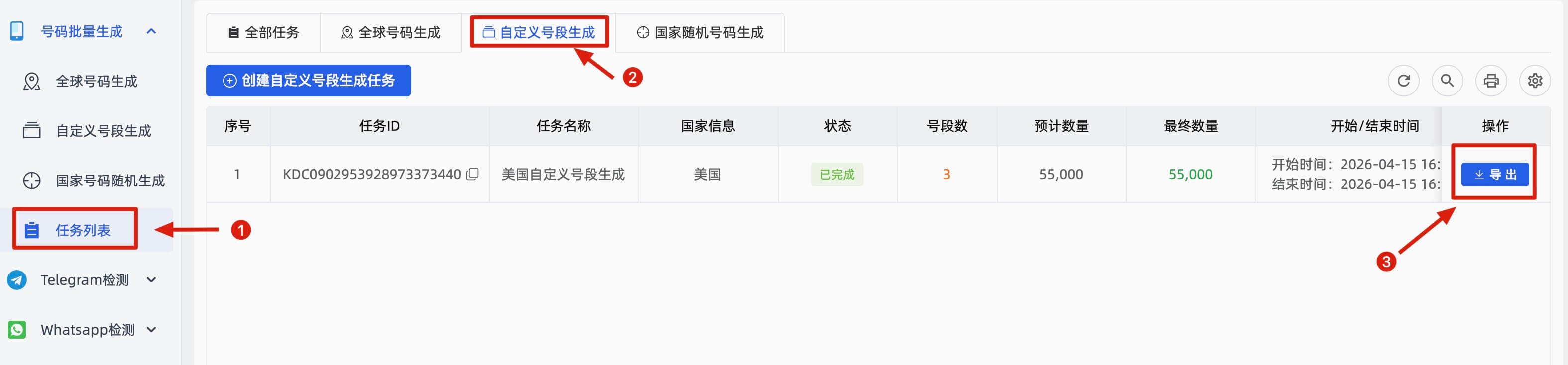
2. Export Data
3. Note
Custom Segment Generation is designed for users who already have specific target number segments and is an advanced feature. If you are new, we recommend using the Country Random Generation service instead.