Global Number Generation
This page introduces the global number generation feature and how to use it.
1. Select Number Segments
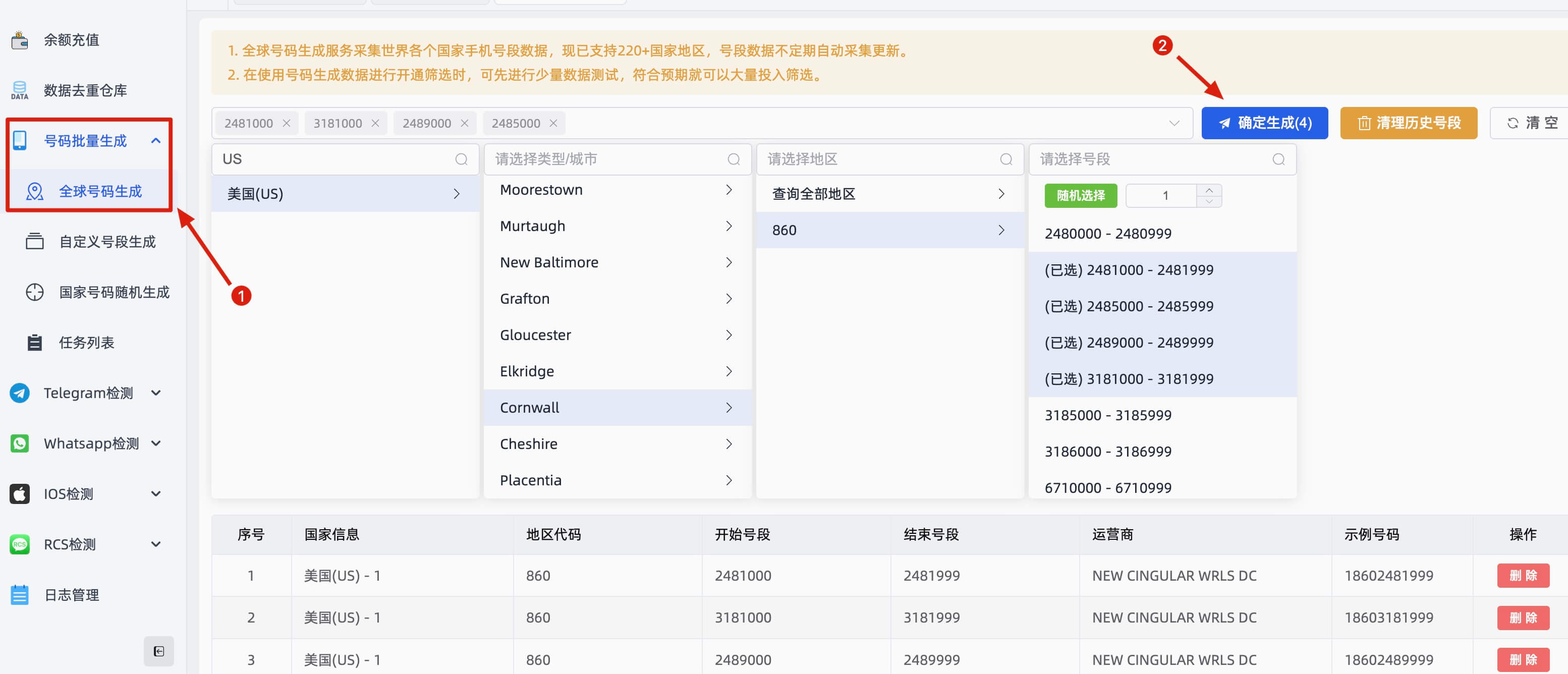
On the Global Number Generation page, sequentially select Country, City, Region, and Segment, then click Confirm Generate.
2. Confirm Generation
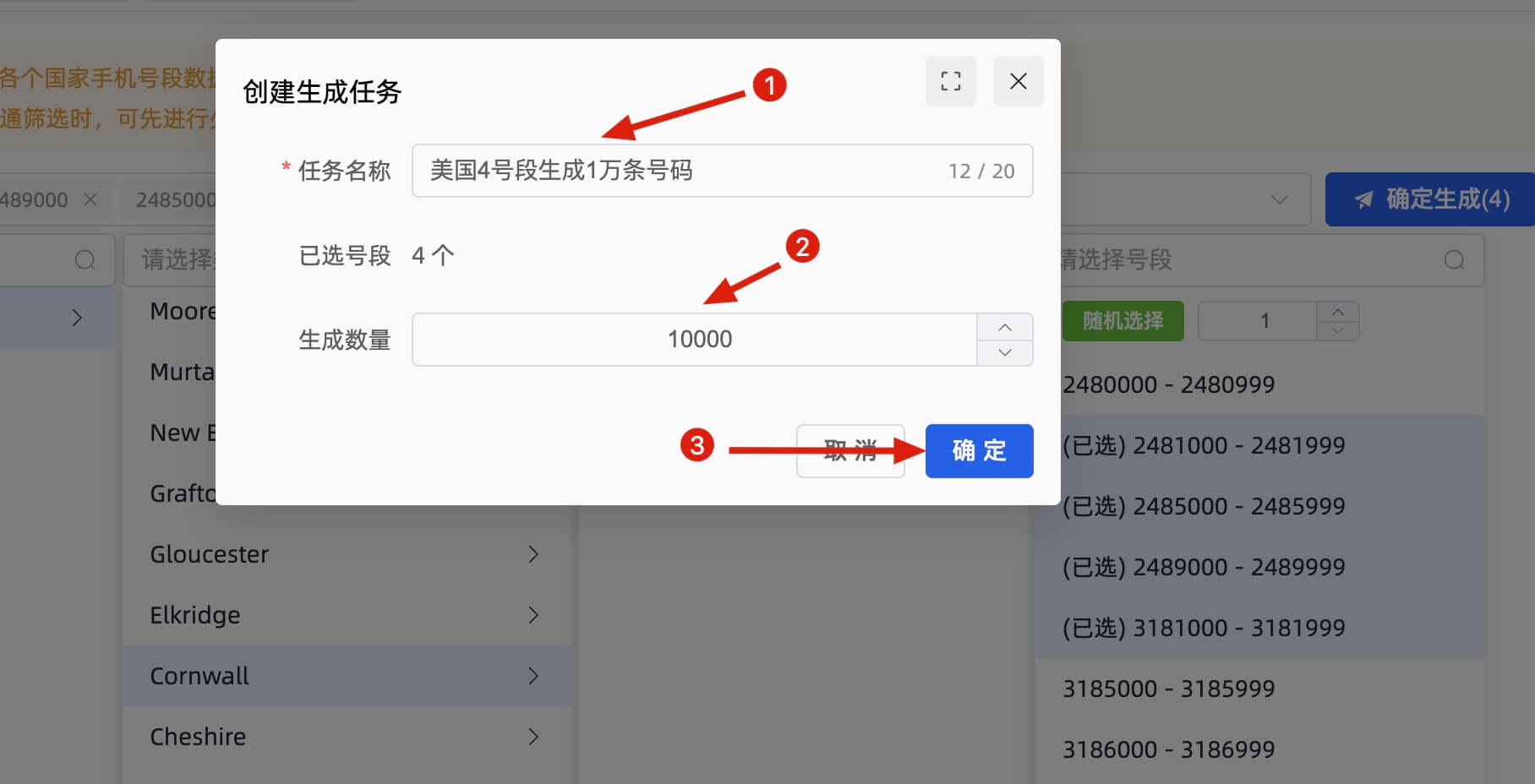
Enter a task name and quantity, then submit. (Note: the actual quantity depends on the available range of your selected segment.)
3. Export Data
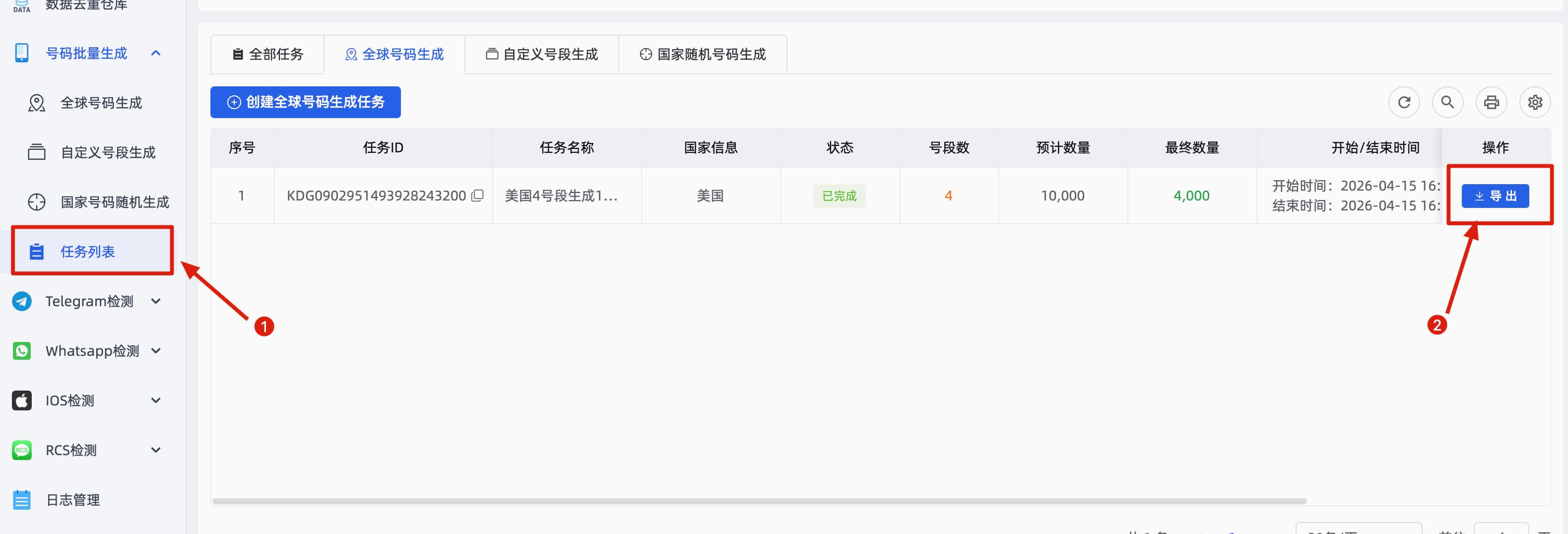
In the Task List page, click the Export button on the right side of the corresponding task to download the generated number file.
4. Note
Global Number Generation is designed for users familiar with country number segments and is an advanced feature. If you are new, we recommend using the Country Random Generation service instead.