Filter Task
This page introduces the filter task feature and how to use it.
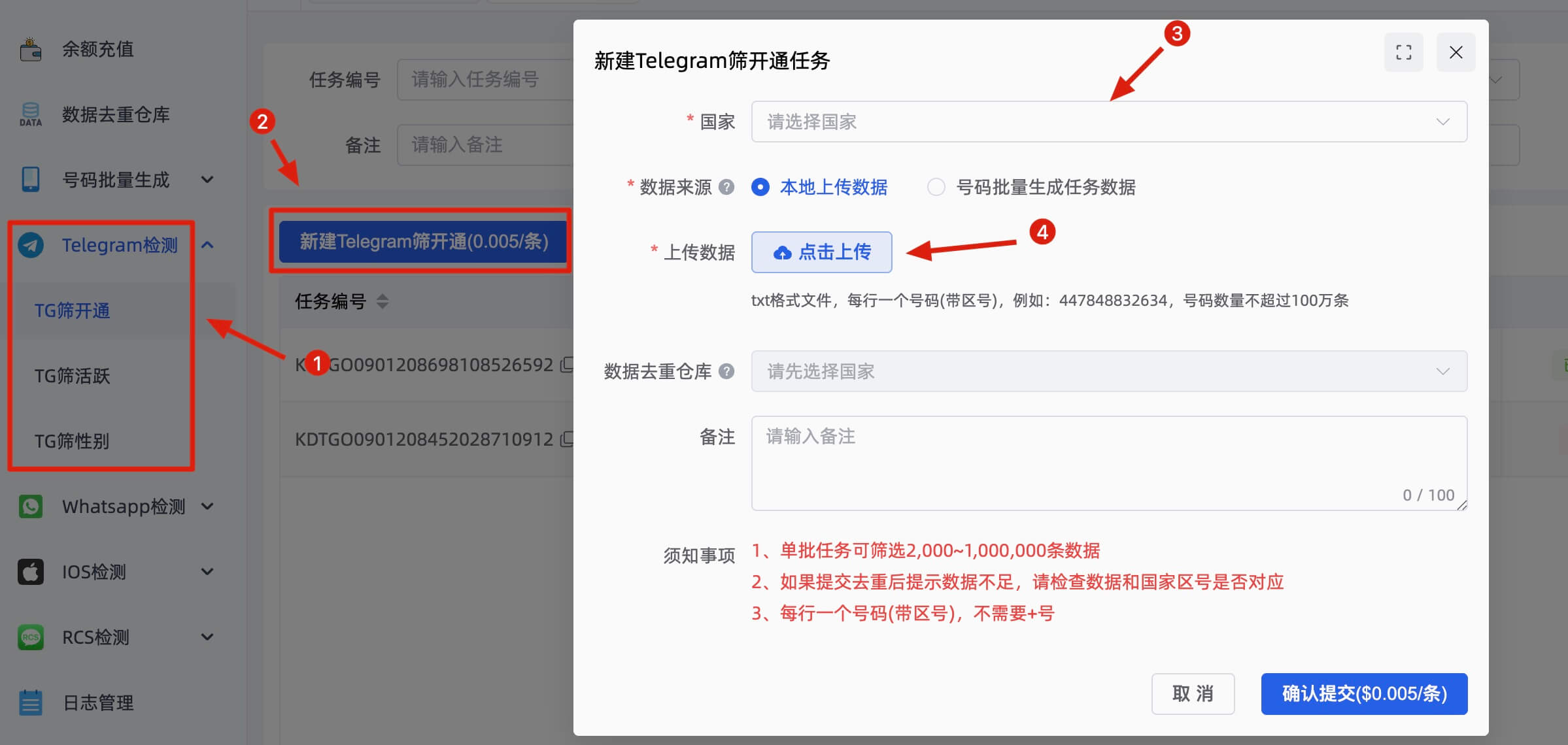
Create a New Filter Task
Select the platform service you want to filter from the left menu. For example: filter for valid registered numbers on Telegram.
Download Task Results
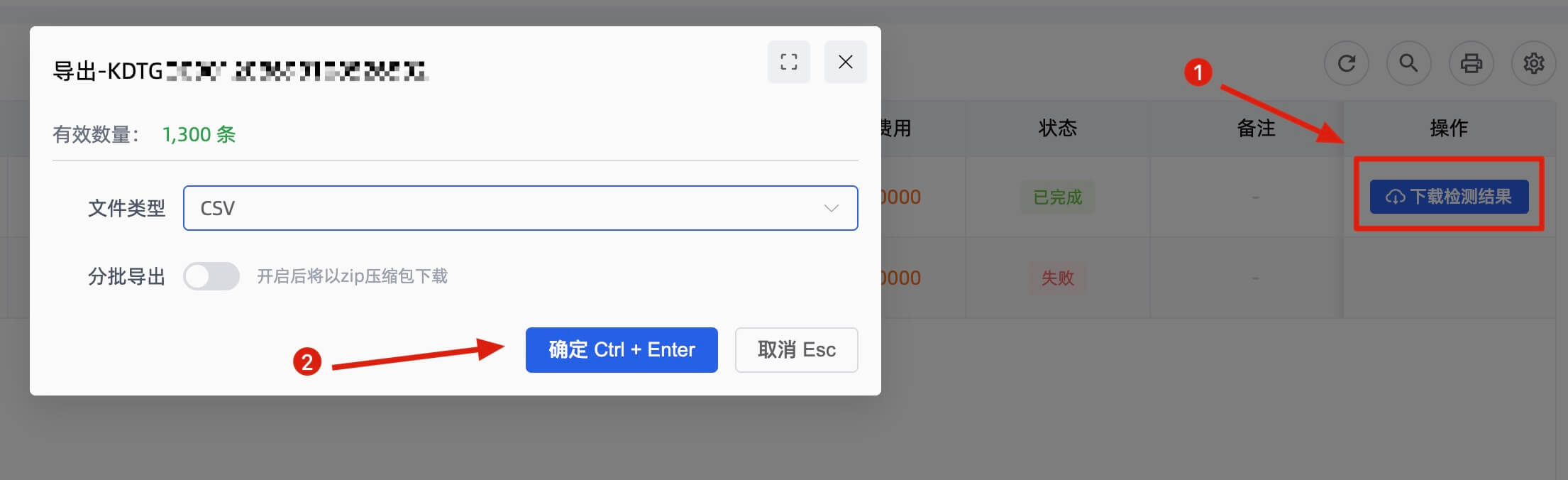
When the task progress shows "Completed", click the Download button on the right side of the task to export the results.
Note
The export dialog varies depending on the service type (valid filtering, activity detection, gender detection). For example:
- Activity detection supports exporting by a specified number of active days.
- Gender detection supports exporting by specified gender.